|
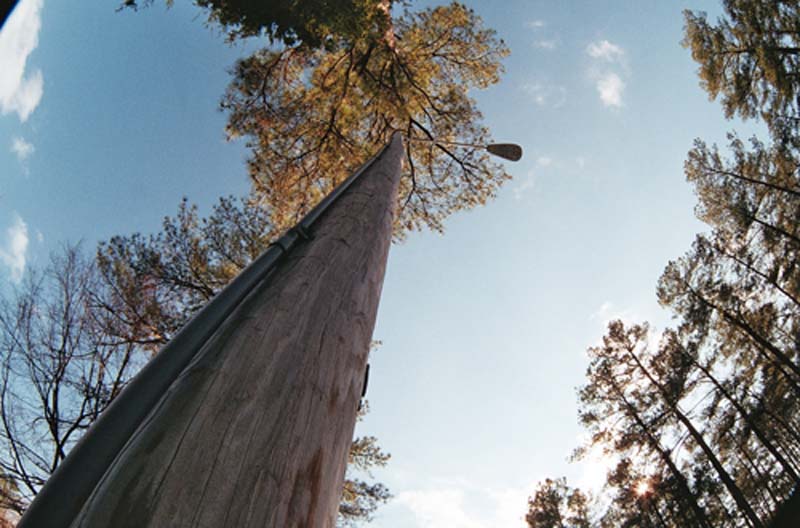
Zenitar 16mm 2.8 Fisheye Lens is a short-focus ultra wideangle interchangeable compact lens of "Fisheye" type intended for SLR cameras with 24x36 mm frame. The angle of view is 180 degrees, but it will be right only for film and full-frame cameras. On APS-C format cameras Zenitar turns into a high-aperture wide-angle lens, losing most of the optical distortions that give originality to this lens. Unique design with small dimensions and weight ensures excellent image quality and color reproduction. The multilayer antireflection lens coating increases transmission, reduces the light scattering and helps to eliminate glare. Zenitar lens refers to diagonal "Fisheye" lenses, that means that the frame will be fully occupied by the image. However, the viewing angle of 180 degrees corresponds only to a diagonal of the frame. The lens allows you to get the original photos, provides unique opportunities for creative artistic photography. It is compact and easy to use, despite the lack of autofocus. Wide angle allows you to shoot from close range, provides greater depth of field.
Comes with M42 - Minolta MD adapter
THE LENS KIT INCLUDES:
Zenitar-M 16mm f/2.8 Fisheye Lens
M42 - Minolta MD adapter
Front and rear lens caps
Lens case and strap
Manual
SPECIFICATIONS:
|
Focal length, mm:
|
16
|
|
Relative aperture: maximum - minimum
|
f/2.8 - f/22
|
|
Angular field of view (to a frame diagonal):
|
180°
|
|
Number of elements/groups:
|
11/7
|
|
Minimum taking distance, m:
|
0.3
|
|
Lens fitting:
|
M42+adapter
|
|
Dimensions (from a base face), mm:
|
63x49
|
|
Weight, kg:
|
0.31
|
COMPATIBILITY:
Minolta X-300 Minolta X-300s Minolta X-370 Minolta X-570 Minolta X-700 Minolta X-9 Minolta SR-T 101 etc.
SAMPLE PICTURES:
 
|


